
Payment fraud rarely announces itself, which is why most UAE businesses find out about it somewhere between a bank statement and a month-end close.
In this article, I’ll go over how you can catch and prevent payment fraud in the UAE, including what I think is one of the best software tools to do that.
TL;DR
- Payment fraud is any transaction that moves company money to someone with no claim to it, by card or by bank transfer.
- Two routes cover most cases: money leaves either through card details that leaked or through a payment instruction that got redirected to the wrong account.
- Speed decides the damage: how long a charge goes unnoticed usually matters more than how sophisticated the attack was.
- Card controls do the prevention work: per-transaction caps, single-use virtual cards, merchant category restrictions, and no ATM access. On Pemo, caps and single-use cards come with every plan, free Starter included. Merchant category restrictions need Premium or Enterprise, which are also the only plans where ATM access can be switched on at all.
- Supplier bank changes need a phone call: confirm on a number you already held, never the one printed in the message requesting the change.
- The first hour has three steps: freeze, review, and tell finance. Terminating and filing the report come later, once you are certain and once the charge has settled.
- The best way to prevent payment fraud is four habits: one card per person, a cap on every card, bank changes confirmed by phone, a weekly look at spending. Pemo is a practical place to run all four, with freezing, card controls, live visibility, and approval routing in one dashboard from the free plan up.
What counts as payment fraud for a UAE business?
Payment fraud is any transaction that moves company money to someone with no claim to it.
That covers a copied card number spent on an ad platform at 3 AM.
It also covers a supplier invoice paid into an account the supplier never owned, or a login used by whoever bought the password.
What links them is the ending.
Money leaves without anyone who had the authority to approve it, leaving the loss with the company until someone proves otherwise.
How is payment fraud different from an employee overspending?
Fraud involves someone taking money they have no right to.
Overspending involves someone using company money for a real business purpose, through a route the business never agreed to.
That distinction changes the response.
A card used by a stranger gets terminated within the hour.
When a colleague is the one overspending, the fix is a lower limit and an honest conversation about the policy.
If the problem you are looking at is the second one, our guides on maverick spending and building a corporate card policy will be more useful than this one.
Which payment fraud attempts reach UAE businesses?
Most attempts sort into two groups, depending on whether the target is a card or a payment instruction.
How does card fraud reach your team?
Card fraud starts with card details ending up somewhere they should not be.
The messages doing that work have become noticeably better written, with several borrowing local context to sound legitimate:
- Fake verification forms: a link to a form or a lookalike site asking you to confirm card details or a code, usually carrying a deadline.
- Fake refund offers: an SMS or email promising compensation after a flight disruption, sent from an unfamiliar address with a shortened link.
- Alarming account warnings: messages claiming an account will be suspended or frozen today, written to rush the reader into confirming details.
- Code requests on messaging apps: someone claiming to be support on Instagram, Telegram, or WhatsApp, pressing for a code to fix a problem that does not exist.
- Lookalike government portals: copies of services such as Darb, Salik, or ICA, spotted by a misspelled domain or an unusual payment screen.
- Job and visa offers: adverts promising work or sponsorship in exchange for an upfront payment or banking details.
Two older routes still work perfectly well: a physical card handed over at a restaurant can be copied out of sight, or sharing one card across a team leaves nobody able to say who made which charge. Every person who spends needs their own.
How does supplier and invoice fraud work?
Supplier fraud targets the payment run.
No theft is required here. The business pays the money out voluntarily:
- The bank detail change: an email from a familiar supplier name announcing new account details.
- The invoice for nothing: a document for goods or services nobody ordered.
- The duplicate: a genuine invoice submitted a second time and paid twice.
- The domain that is nearly right: a sender address with a swapped letter or an added number, or .com where the supplier has always used .co.ae.
This family is harder to spot because every step looks like ordinary work.
Someone in finance receives an invoice from a name they recognise and releases the payment exactly as the process intends.
Why does payment fraud get found so late?
Most businesses still learn about their spending when the statement arrives.
Say a card detail leaks on a Tuesday.
The first charge is small, priced to pass as a subscription nobody remembers starting.
No alert fires, since nobody is looking at Tuesday.
Four weeks later, the statement lands and an accountant queries a single line.
The cardholder cannot place the merchant name. A five-minute question becomes a reconstruction of a month's activity.
By then, the card has been used more than once. Working out which charges were genuine takes far longer than it should.
Supplier fraud hides even better than that. A payment sent to a criminal's account looks completely normal in the ledger.
The alarm usually arrives from the real supplier, asking where their money went.
How do you catch payment fraud early?
Catching fraud early means looking at spending on the day it happens, at the level of individual transactions.
Which signals are worth checking every week?
None of these proves anything on their own, though two of them landing together is usually worth a phone call:
- A small charge from an unknown merchant: a small unfamiliar charge often arrives before a large one.
- A merchant name with no matching vendor: anything that does not map to a supplier, subscription, or trip you recognise.
- Spending at odd hours or from unexpected countries: a card used at 4 AM in a country nobody travelled to.
- The same amount to the same vendor twice: the signature of a duplicate invoice.
- A supplier whose bank details changed this month: every change deserves a call before the next payment run.
- Repeated declines on one card: several failed attempts in a short window can mean someone is guessing at details.
What does a declined transaction tell you?
A decline carries information that most people treat as an obstacle.
Pemo pushes a notification the moment a card payment fails, with the reason attached.
Both the mobile app and the desktop dashboard carry a filter that isolates declined transactions, which makes a regular scan quick to run.
Four of those reasons are worth reading as fraud signals:
- Suspicious charge blocked: the risk engine judged the payment risky. If you or a colleague made the payment, check the merchant and amount, retry once, and contact support with the merchant name, amount and time if it fails again. If nobody recognises the merchant, do not retry. Freeze the card.
- Transaction paused for review: the issuer is checking the payment manually. Pemo's guidance is to avoid repeated attempts while it sits there.
- Restricted merchant category: policy blocked the merchant type. Read it either as a control doing its job or as someone shopping where they should not be.
- Country not allowed: the purchase came from a country the card does not cover.
Two or three of these landing on one card in a single afternoon deserve a freeze before they deserve an explanation.
How do you prevent payment fraud before it starts?
Prevention works by shrinking what a successful attack can reach.
How do you limit what a leaked card is worth?
- One card per person: shared cards remove any way to trace a charge back to a human being.
- A virtual card per vendor: a breach at one supplier exposes one card, leaving every other vendor relationship untouched.
- Single-use cards for one-off purchases: the card expires after the transaction. A copied number then buys nothing.
- Per-transaction caps and cycle limits: a cap turns an open-ended card into a bounded one. Included on every Pemo plan.
- Merchant category restrictions: block the categories a card has no business touching, such as an ads card that never needs a travel merchant. Available on Premium and Enterprise.
- ATM withdrawals kept off: cash is the hardest spend to trace after the fact. Starter cards carry no ATM access at all. On Premium and Enterprise it stays off until someone requests it.
- 3DS on online payments: an extra authentication step at checkout wherever the merchant supports it, included on every Pemo plan.
What stops a redirected supplier payment?
Here’s what stops a redirected supplier payment:
- A call to a number you already held: use the contact on file, never the number in the message asking for the change.
- A second approver on payment changes: one person should not be able to edit a bank detail and release the payment against it.
- An invoice matched to its purchase order: a document with no matching order gets held for a check before payment.
- A check against what you already paid: a duplicate invoice usually arrives through a second channel. Match every bill against the payment history before releasing it.
- Finance conversations on company channels only: a request that arrives on WhatsApp is a request that skipped the record.
Our guide to vendor invoice processing covers where those checks fit into a normal payables cycle.
Which account settings close the easiest doors?
Here’s how you can protect your account better:
- Unique passwords: a password reused from another service is only ever as safe as that service.
- Multi-factor authentication: Face ID, fingerprint, or a passcode on top of the password.
- Role-based permissions: decide who can view statements, issue cards, and change limits.
- Notifications switched on: alerts turn a monthly review into a live one.
- Bookmarked login pages: reach the dashboard through your own saved link.
- Nobody shares codes: Pemo will not ask for a PIN, full card details, or a verification code by email, SMS, WhatsApp, or phone.
What should you do in the first hour after suspected fraud?
Freeze first.
The sequence below assumes you are not yet certain. That is the usual state when something looks wrong:
Here’s how freezing and further actions look in our spend management software, Pemo:
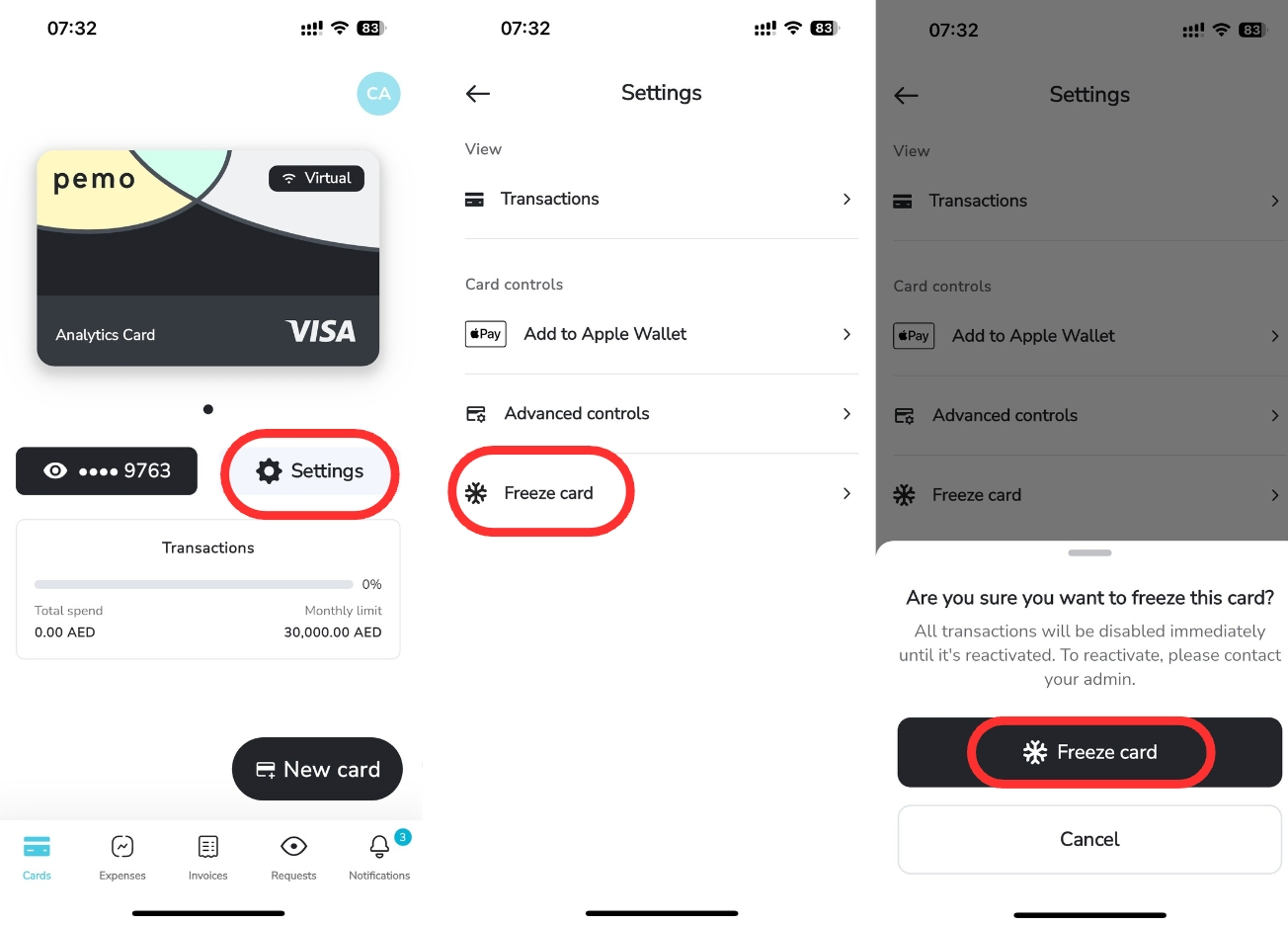
- Freeze the card in the app: open Cards, select the card, then Settings and Freeze Card. Freezing is reversible. Unfreezing takes the same few taps.
- Review the transaction: open Expenses, select the charge, then check what was taken, when, by which merchant, and on which card.
- Tell your finance or IT contact: alerting them early lets the rest of the team be warned about the same message.
- Terminate if you are certain: termination runs from the desktop dashboard under Cards. It cannot be undone.
.gif)
- Report the transaction: find the charge, flag it as fraudulent, then complete and sign the form. Reporting only opens up once a transaction settles. A missing report option tells you the charge is still in authorisation.
.gif)
- Answer support's questions: Pemo's team investigates the case and may come back for documents.
One detail worth knowing before step five.
Signing the form confirms the transaction was unauthorised.
Should the investigation later find it was authorised after all, your account can be charged a processing fee.
Checking with the cardholder and the wider team first costs a few minutes.
If you entered card details on a suspicious page or passed a verification code to anyone, freeze the card immediately.
Then report it through the app with a screenshot of the message.
How does Pemo help you catch and prevent payment fraud?
Pemo is a UAE spend management platform used by over 10,000 businesses across MENA, covering corporate cards, expense management, invoices, and accounting automation.
For fraud specifically, detection and response happen in the same app, which removes the delay between noticing a charge and stopping the card.
Virtual and single-use cards limit what a leak can reach
Every Pemo plan includes unlimited virtual cards, issued instantly from the dashboard.
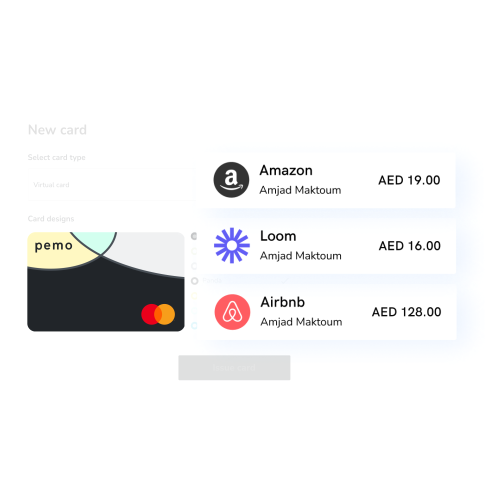
Teams tend to run one card per vendor, keeping the Google Ads card well away from the card paying a freelancer.
Single-use cards go further by expiring once the transaction completes, a useful setting for a first order from an unfamiliar supplier.
A breach on any one of them exposes a single vendor relationship. Replacing that card takes seconds.
Card controls decide what a card can do before anyone spends
Controls are set at issuance and changed at any time.
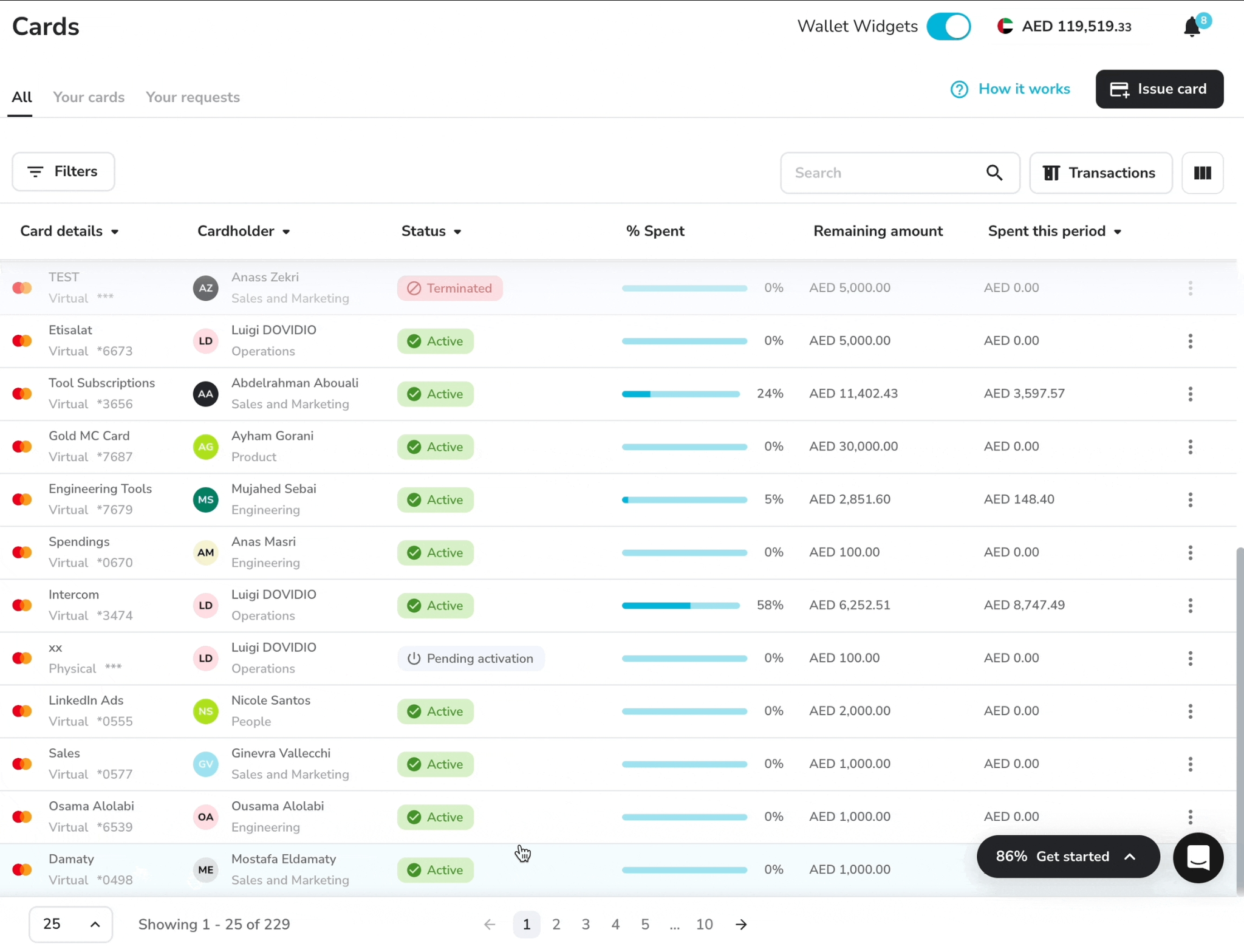
Limits run per transaction, or per day, week, month, and year.
Advanced controls restrict a card to specific vendors, merchant categories, or countries, with the merchant category restrictions carried by Premium and Enterprise. ATM withdrawals stay switched off on those plans until someone asks for them.
A stolen card then reaches checkout already boxed in, with any charge outside those bounds failing before it completes.
In-app approval replaced the codes fraudsters ask for
The UAE Central Bank has required banks to move away from SMS and email one-time passwords, because SIM-swap attacks and message interception made them unreliable.
Pemo online card payments that need extra verification now go through a push notification.
Tapping it opens an approval page in the app, showing a code you copy into the merchant's checkout page to complete the payment.
That change matters for the scams described earlier.
The code is generated on the cardholder's own device instead of arriving by SMS or email, so interception and SIM-swap attacks stop working. It does not make the code unshareable.
The cardholder still types it into the merchant's page, and anyone holding stolen card details can still try to talk them into reading it out. Nobody from Pemo will ever ask for it.
Every card transaction appears the moment it happens
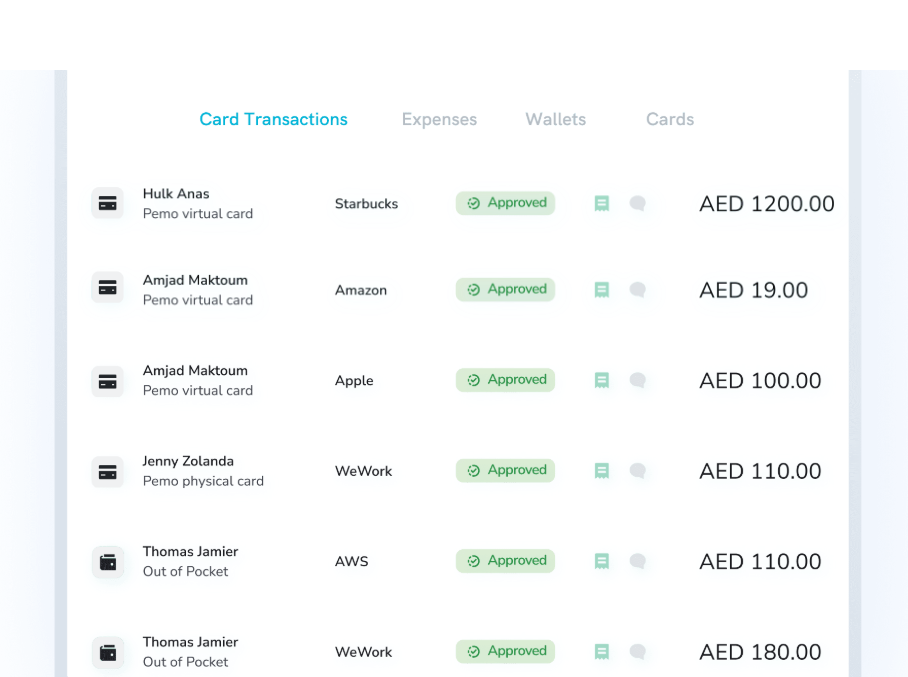
Card spending lands in the dashboard as it occurs, with the merchant, amount, and cardholder attached.
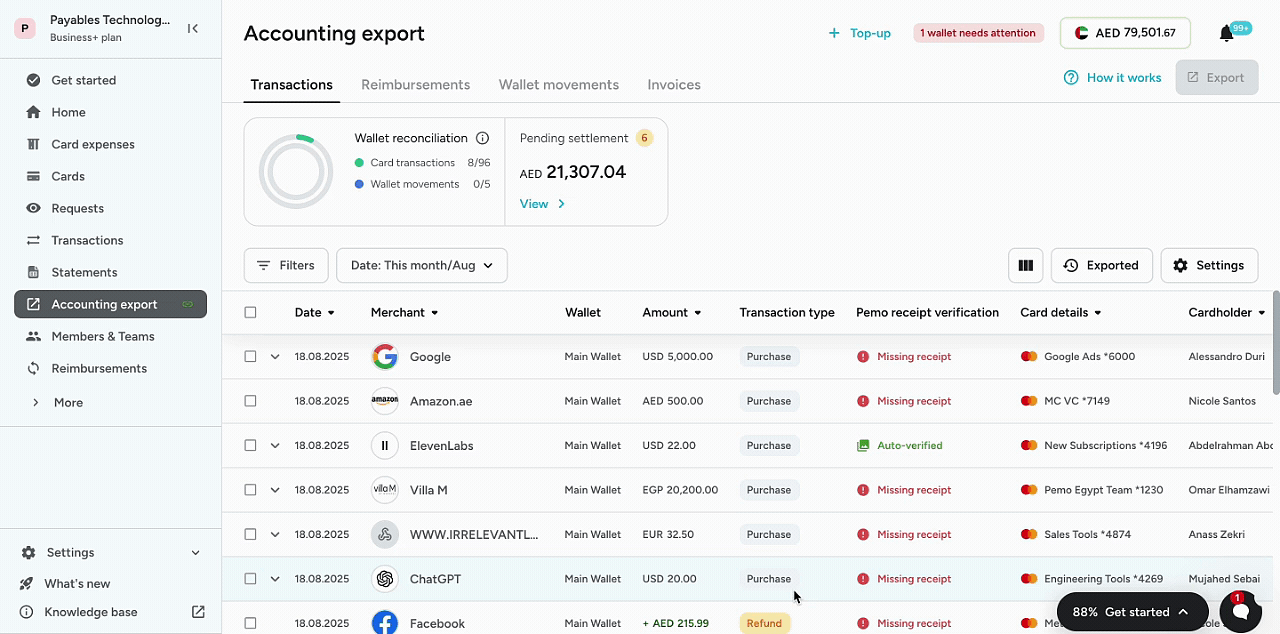
Push notifications cover both completed and failed payments.
A weekly scan of that feed replaces the statement review that used to happen four weeks after the fact. Most of the detection gain comes from that single change.
Freezing and terminating are actions in the app
Freezing takes a few taps in the app and works on physical and virtual cards alike.
You do not call a bank or wait for office hours.
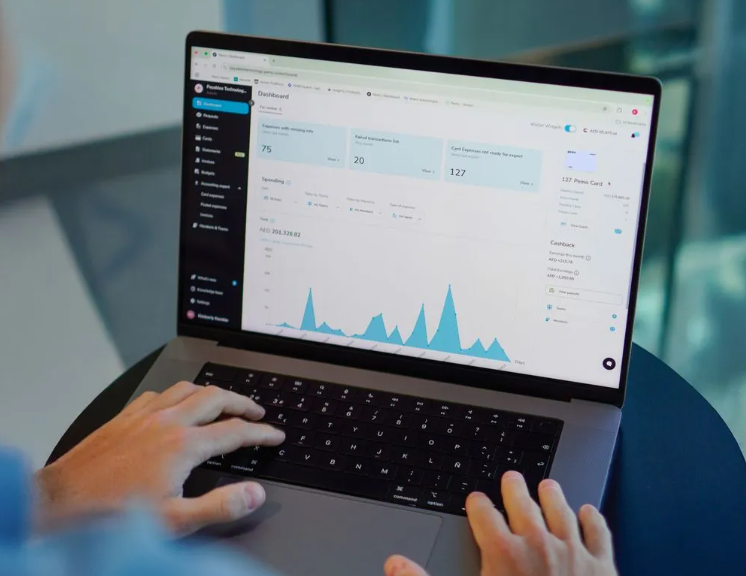
Termination is available from the desktop dashboard once the case is confirmed.
A replacement card can be issued straight afterwards, which keeps one person's problem from stopping everyone else's spending.
Approval routing puts a second person on supplier payments
Invoices are uploaded into Pemo, with the details read off the document automatically.
Approval workflows route each one to the right approver before any money moves.
Premium adds multi-layer approvals along with maker-checker on card actions, separating the person who requests a change from the person who confirms it.
Duplicate detection on Premium and Enterprise catches the same expense submitted twice.
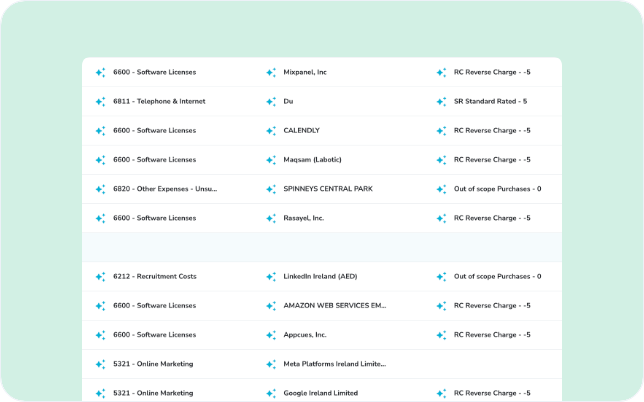
Pemo's Financial OS adds a further layer, validating invoices against the matching purchase order and scanning transactions and vendor data for anomalies before payment.
Card data stays out of reach by design
Pemo is PCI DSS certified and hosted on Google Cloud, with transactions travelling encrypted.
PINs, security codes, and card digits are not stored.
Access is scoped by role, letting you decide who sees transactions and statements, and who can issue cards or change limits.
Close the gap between noticing and stopping
Most of the controls in this guide buy time inside the same window: the stretch between a fraudulent charge landing and somebody stopping the card.
A monthly statement makes that window four weeks wide.
A live feed and a freeze button make it minutes.
Nothing in the first list is expensive to start.
You can issue one virtual card per vendor this week and put a per-transaction cap on every card by Friday.
Agreeing that supplier bank changes always get confirmed by phone costs nothing at all.
Sign up for Pemo on the free Starter plan, or book a demo if you would rather see the controls before you set them up.
⚠️ Disclaimer: This article was last updated on 18 September 2026, and if there's any misinterpretation of the information, please contact us and we will fact-check it. This guide is general information about fraud prevention, not legal, tax, or accounting advice.
Frequently asked questions
Will Pemo ever ask for my card details or a verification code?
No.
Pemo will not request a PIN, full card details, or a verification code by email, text message, WhatsApp, or a phone call.
Any message doing so is a scam, no matter who it claims to be from.
Are virtual cards safer than physical cards for online payments?
For online spending, yes, because a virtual card has nothing physical to misplace and carries no security code printed anywhere.
Physical cards still have a job for in-person purchases and ATM access, covered in our guide to virtual and physical cards.
Can I report any fraudulent transaction on my Pemo card?
Reporting becomes available once a transaction settles.
When the option to flag a charge is missing, the transaction is still in authorisation and has not settled yet.
What happens if a transaction I report turns out to be authorised?
Signing the fraud form confirms the charge was unauthorised.
If the investigation finds otherwise, your account can be charged a processing fee. A word with the cardholder before filing usually pays for itself.
Which Pemo plan includes merchant category restrictions?
Merchant category restrictions come with Premium at AED 399/month per company and with Enterprise.
Per-transaction limits and 3DS are included on the free Starter plan.
What should I do if I clicked a suspicious link?
Freeze the card in the app first, then report the message to support with a screenshot if you have one.
If you entered card details or shared a code, do both immediately and tell your finance or IT contact.


